
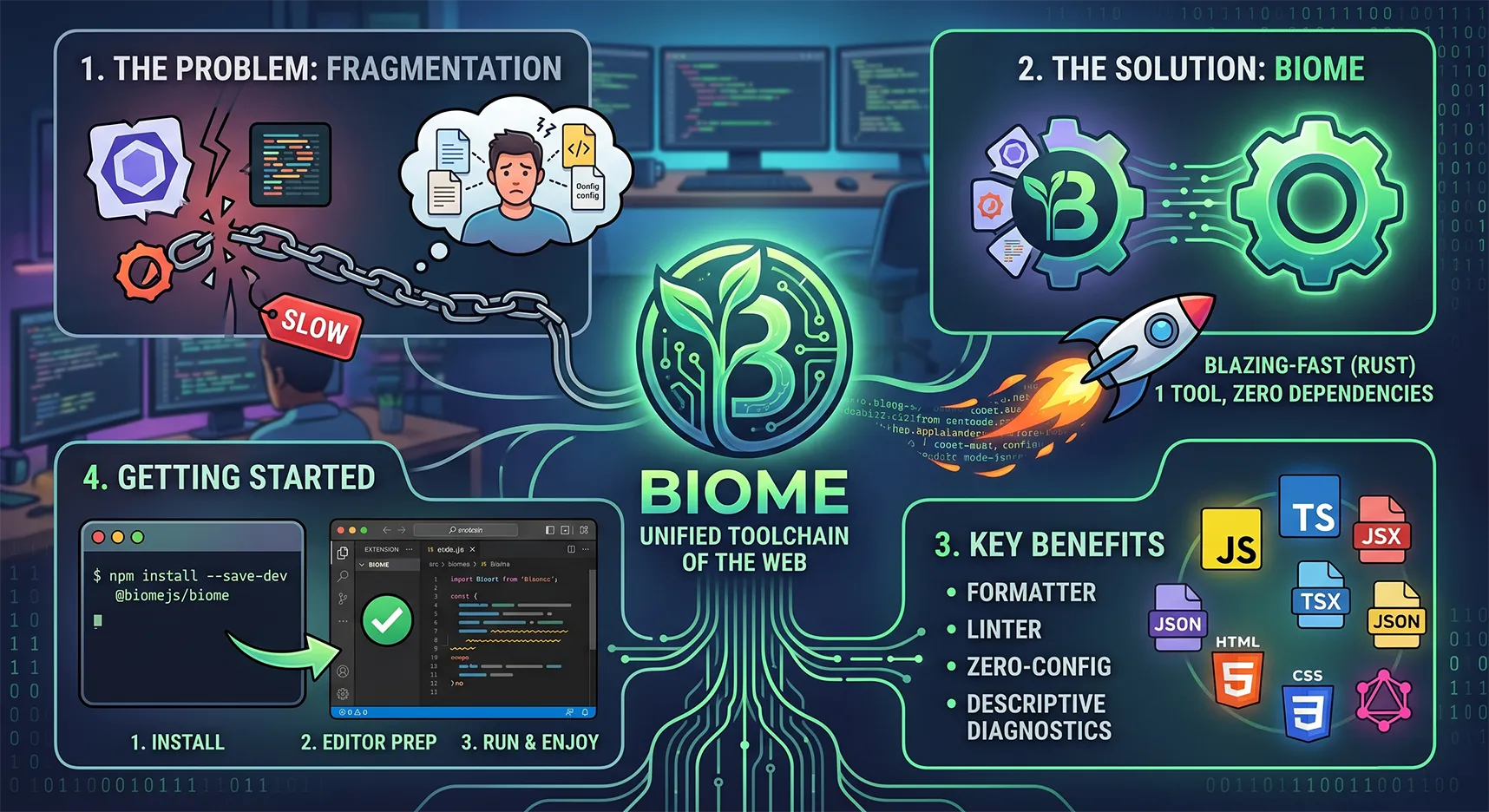
Biome: The Prettier and ESLint Killer. How to Set Up the Fastest Toolchain for Web Development
If you write modern Full-stack projects using Next.js and TypeScript, you've probably faced the classic pain of setting up linters. Installing ESLint, adding Prettier, then installing plugins so they don't conflict, configuring import sorting... As a result, you get a pile of configs, a heavy node_modules folder, and annoying delays when saving files.
It's time to forget about this zoo. Meet Biome — a universal, lightning-fast tool that replaces both ESLint and Prettier.
What is Biome and what are its benefits?
Biome is an all-in-one toolchain for web projects that formats and lints your code.
Its main advantages:
Incredible speed: Biome is written in Rust. It formats and lints code dozens of times faster than Node.js tools. Delays when saving files simply disappear.
All-in-one: You no longer need packages like
eslint-config-prettieror plugins for sorting imports. Biome does all of this out of the box.Easy setup: One small
biome.jsonfile instead of the chaos with.eslintrc.json,.prettierrc, and others.Excellent TypeScript and JSX support: Perfect for development on Next.js and React.
Step 1: Installation in your project
Install Biome as a development dependency. The fastest and cleanest way to do this is via pnpm:
Bash
pnpm add --save-dev --save-exact @biomejs/biome
After installation, initialize the config:
Bash
pnpm biome init
This command will create a biome.json file in the root of your project.
Step 2: The perfect biome.json config
Here is my battle-tested config. It is set up for 2 spaces, using single quotes in JS/TS, double quotes in JSX (React), removing unnecessary semicolons, and automatically sorting imports.
Simply replace the contents of the generated biome.json with this code:
JSON
{
  "$schema": "https://biomejs.dev/schemas/2.4.12/schema.json",
  "assist": {
    "actions": {
      "source": {
        "organizeImports": "on"
      }
    }
  },
  "linter": {
    "enabled": true,
    "rules": {
      "recommended": true
    }
  },
  "formatter": {
    "enabled": true,
    "formatWithErrors": false,
    "indentStyle": "space",
    "indentWidth": 2,
    "lineWidth": 100
  },
  "javascript": {
    "formatter": {
      "quoteStyle": "single",
      "jsxQuoteStyle": "double",
      "trailingCommas": "all",
      "semicolons": "asNeeded"
    }
  }
}
Step 3: Preparing your code editor
For the magic to work seamlessly behind the scenes, you need to teach your favorite code editor to format files using Biome every time you save.
Settings for VSCode / Cursor
If you use VSCode or its AI fork, Cursor, first install the official Biome extension. Next, open your settings (settings.json) and add my config. It already includes the perfect balance for development, terminal usage, styling, and Biome integration:
JSON
{
  "emmet.excludeLanguages": ["markdown"],
  "sync.gist": "a15eb3acc26f28548b648dae8021ff61",
  "editor.linkedEditing": true,
  "window.openFilesInNewWindow": "off",

  // 🟢 Tabulation settings: 2 spaces instead of tabs
  "editor.detectIndentation": false,
  "editor.tabSize": 2,
  "editor.insertSpaces": true,

  "editor.multiCursorModifier": "ctrlCmd",
  "editor.suggestSelection": "first",
  "editor.wrappingIndent": "same",
  "editor.wordWrapColumn": 80,

  "files.associations": {
    "*.html": "django-html"
  },
  "[django-html]": {
    "editor.formatOnSave": false
  },
  "[html]": {
    "editor.defaultFormatter": null,
    "editor.formatOnSave": false
  },

  "editor.renderControlCharacters": false,
  "editor.unicodeHighlight.ambiguousCharacters": false,
  "editor.quickSuggestionsDelay": 0,
  "html.completion.attributeDefaultValue": "singlequotes",

  // Breadcrumbs
  "breadcrumbs.icons": false,
  "breadcrumbs.showFiles": false,
  "breadcrumbs.symbolPath": "off",
  "breadcrumbs.showArrays": false,
  "breadcrumbs.showClasses": false,
  "breadcrumbs.showMethods": false,
  "breadcrumbs.showBooleans": false,
  "breadcrumbs.showFunctions": false,
  "breadcrumbs.showEnumMembers": false,
  "breadcrumbs.showConstructors": false,
  "breadcrumbs.showConstants": false,
  "breadcrumbs.showEvents": false,
  "breadcrumbs.showPackages": false,
  "breadcrumbs.showVariables": false,
  "breadcrumbs.showKeys": false,
  "breadcrumbs.showInterfaces": false,
  "breadcrumbs.showFields": false,

  // Terminal
  "terminal.integrated.tabs.enabled": false,

  // Emmet
  "emmet.includeLanguages": {
    "blade": "html",
    "javascript": "javascriptreact"
  },
  "emmet.triggerExpansionOnTab": true,

  "security.workspace.trust.untrustedFiles": "open",
  "security.workspace.trust.enabled": false,
  "editor.gotoLocation.multipleDefinitions": "goto",

  // Appearance
  "editor.bracketPairColorization.enabled": false,
  "editor.bracketPairColorization.independentColorPoolPerBracketType": true,
  "editor.glyphMargin": false,
  "editor.scrollbar.horizontal": "hidden",
  "window.density.editorTabHeight": "compact",
  "editor.accessibilitySupport": "off",
  "symbols.hidesExplorerArrows": false,

  // Cursor
  "editor.cursorBlinking": "expand",
  "editor.cursorStyle": "line-thin",
  "editor.cursorSmoothCaretAnimation": "explicit",

  // Explorer
  "explorer.compactFolders": false,
  "explorer.confirmDelete": false,
  "explorer.confirmDragAndDrop": false,

  // Tabs
  "workbench.editor.tabSizing": "shrink",
  "workbench.startupEditor": "newUntitledFile",
  "workbench.editor.tabSizingFixedMaxWidth": 120,
  "workbench.editor.empty.hint": "hidden",

  // Auto closing tags
  "html.autoClosingTags": true,
  "js/ts.autoClosingTags.enabled": true,

  // Debug
  "debug.toolBarLocation": "hidden",
  "debug.focusWindowOnBreak": false,
  "debug.showInlineBreakpointCandidates": false,
  "debug.showBreakpointsInOverviewRuler": false,
  "debug.console.fontSize": 14,

  // JS & TS
  "js/ts.updateImportsOnFileMove.enabled": "always",
  "js/ts.preferences.quoteStyle": "single",
  "js/ts.format.semicolons": "remove",
  "js/ts.implicitProjectConfig.experimentalDecorators": true,

  // Font
  "editor.fontFamily": "'MesloLGL Nerd Font', Menlo, Monaco, 'Courier New', monospace",
  "editor.fontLigatures": true,
  "editor.fontSize": 13,
  "editor.lineHeight": 22,

  "editor.guides.bracketPairs": true,
  "editor.largeFileOptimizations": false,
  "editor.smoothScrolling": true,
  "editor.comments.insertSpace": false,
  "editor.hover.enabled": "off",
  "editor.minimap.enabled": false,
  "editor.renderWhitespace": "none",
  "editor.stickyScroll.enabled": false,
  "editor.scrollBeyondLastLine": false,
  "editor.wordWrap": "on",

  // Autosave and formatting
  "files.autoSave": "afterDelay",
  "editor.formatOnSave": true,

  // 🟢 BIOME CONFIGURATION FOR JS/TS/REACT/JSON 🟢
  "editor.codeActionsOnSave": {
    "source.fixAll.biome": "explicit"
  },
  "[javascript]": {
    "editor.defaultFormatter": "biomejs.biome"
  },
  "[typescript]": {
    "editor.defaultFormatter": "biomejs.biome"
  },
  "[javascriptreact]": {
    "editor.defaultFormatter": "biomejs.biome"
  },
  "[typescriptreact]": {
    "editor.defaultFormatter": "biomejs.biome"
  },
  "[json]": {
    "editor.defaultFormatter": "biomejs.biome"
  },
  "[jsonc]": {
    "editor.defaultFormatter": "biomejs.biome"
  },

  // Terminal
  "terminal.integrated.fontFamily": "'MesloLGL Nerd Font', Menlo, Monaco, 'Courier New', monospace",
  "terminal.integrated.gpuAcceleration": "off",
  "terminal.integrated.env.osx": {},
  "terminal.integrated.env.windows": {},
  "terminal.integrated.suggest.enabled": true,

  // Git
  "git.autofetch": true,
  "git.enableSmartCommit": true,
  "git.confirmSync": false,

  // Theme and UI
  "workbench.colorTheme": "Catppuccin Mocha",
  "workbench.iconTheme": "material-icon-theme",
  "workbench.activityBar.location": "top",
  "workbench.secondarySideBar.defaultVisibility": "hidden",

  // Plugins
  "cSpell.languageSettings": [],
  "cSpell.language": "ru",
  "[css]": {
    "editor.defaultFormatter": "vscode.css-language-features"
  },
  "ecsstractor_port.add_comment": false,
  "ecsstractor_port.empty_line_before_nested_selector": false,
  "settingsSync.ignoredSettings": ["-emmet.extensionsPath", "-python.venvPath"],
  "bracketPairColorizer.depreciation-notice": false,
  "RainbowBrackets.depreciation-notice": false,
  "liveServer.settings.donotShowInfoMsg": true,
  "liveServer.settings.donotVerifyTags": true,

  "python.autoComplete.extraPaths": [],
  "python.envFile": "${workspaceFolder}/.env",
  "[python]": {
    "editor.defaultFormatter": "ms-python.autopep8"
  },
  "python.analysis.extraPaths": [],

  "scm.inputFontSize": 14,
  "chat.editor.fontSize": 14,
  "chat.commandCenter.enabled": false,
  "tailwindCSS.rootFontSize": 14,
  "githubPullRequests.createOnPublishBranch": "never",

  "notebook.defaultFormatter": "esbenp.prettier-vscode",
  "C_Cpp.copilotHover": "disabled",
  "docker.extension.dockerEngineAvailabilityPrompt": false,
  "prisma.hidePrisma6Prompts": true,

  "json.schemaDownload.trustedDomains": {
    "https://schemastore.azurewebsites.net/": true,
    "https://raw.githubusercontent.com/microsoft/vscode/": true,
    "https://raw.githubusercontent.com/devcontainers/spec/": true,
    "https://www.schemastore.org/": true,
    "https://json.schemastore.org/": true,
    "https://json-schema.org/": true,
    "https://developer.microsoft.com/json-schemas/": true,
    "https://biomejs.dev": true,
    "https://esm.sh/": true
  },
  "typescript.experimental.useTsgo": true,
  "terminal.external.osxExec": "Ghostty.app",
  "workbench.browser.openLocalhostLinks": false
}
Settings for the lightning-fast Zed editor
If your choice is the modern and fast Zed, integrating Biome fits perfectly here (both tools are written in Rust — a combo of ultimate speed).
Add the following config to your settings.json in Zed:
JSON
{
  "context_servers": {
    "mcp-server-github": {
      "enabled": true,
      "remote": false,
      "settings": {
        "github_personal_access_token": "you_token_here"
      }
    }
  },
  "outline_panel": {
    "dock": "left"
  },
  "collaboration_panel": {
    "dock": "left"
  },
  "agent": {
    "sidebar_side": "right",
    "dock": "right",
    "favorite_models": [],
    "model_parameters": []
  },
  "autosave": "on_focus_change",
  "format_on_save": "on",
  "git_panel": {
    "dock": "left",
    "tree_view": false,
    "file_icons": true
  },
  "project_panel": {
    "dock": "left",
    "hide_hidden": false,
    "hide_root": true,
    "diagnostic_badges": false,
    "bold_folder_labels": false,
    "entry_spacing": "standard"
  },
  "tab_bar": {
    "show_pinned_tabs_in_separate_row": false
  },
  "tabs": {
    "file_icons": true,
    "git_status": false
  },
  "title_bar": {
    "show_branch_status_icon": true,
    "show_menus": false
  },
  "prettier": {
    "allowed": false
  },
  "hover_popover_enabled": false,
  "agent_ui_font_size": 14.0,
  "ui_font_family": ".ZedSans",
  "buffer_font_family": "MesloLGL Nerd Font",
  "terminal": {
    "font_weight": 400.0,
    "show_count_badge": false,
    "font_family": "FiraCode Nerd Font",
    "font_size": 12.0
  },
  "icon_theme": "Material Icon Theme",
  "telemetry": {
    "diagnostics": false,
    "metrics": false
  },
  "ui_font_size": 15.0,
  "buffer_font_size": 14.0,
  "theme": {
    "mode": "dark",
    "light": "One Light",
    "dark": "Catppuccin Mocha"
  },
  // 🟢 LANGUAGE AND BIOME SETTINGS 🟢
  "languages": {
    "TypeScript": {
      "language_servers": [
        "biome",
        "vtsls"
      ],
      "formatter": {
        "language_server": {
          "name": "biome"
        }
      },
      "code_actions_on_format": {
        // Triggers import sorting that we enabled in biome.json
        "source.organizeImports.biome": true
      }
    },
    "TSX": {
      "language_servers": [
        "biome",
        "vtsls"
      ],
      "formatter": {
        "language_server": {
          "name": "biome"
        }
      },
      "code_actions_on_format": {
        "source.organizeImports.biome": true
      }
    },
    "JavaScript": {
      "language_servers": [
        "biome",
        "vtsls"
      ],
      "formatter": {
        "language_server": {
          "name": "biome"
        }
      },
      "code_actions_on_format": {
        "source.organizeImports.biome": true
      }
    }
  }
}
Conclusion
Implementing Biome takes just a few minutes. You delete the prettier and eslint packages along with their tons of plugins, and you rediscover the joy of a blazing-fast editor. File saving happens instantly, imports fall right into place, and the code looks flawless. Give it a try — and you'll never go back to the old stack!